The screens
Reporting an observation
Tell OWC what you saw — or did not see.
Reporting is how an occultation becomes useful to anyone else. A miss and a clouded-out night are both worth reporting — a negative result from a known position constrains the asteroid's shape just as a positive one does.
Finding the button
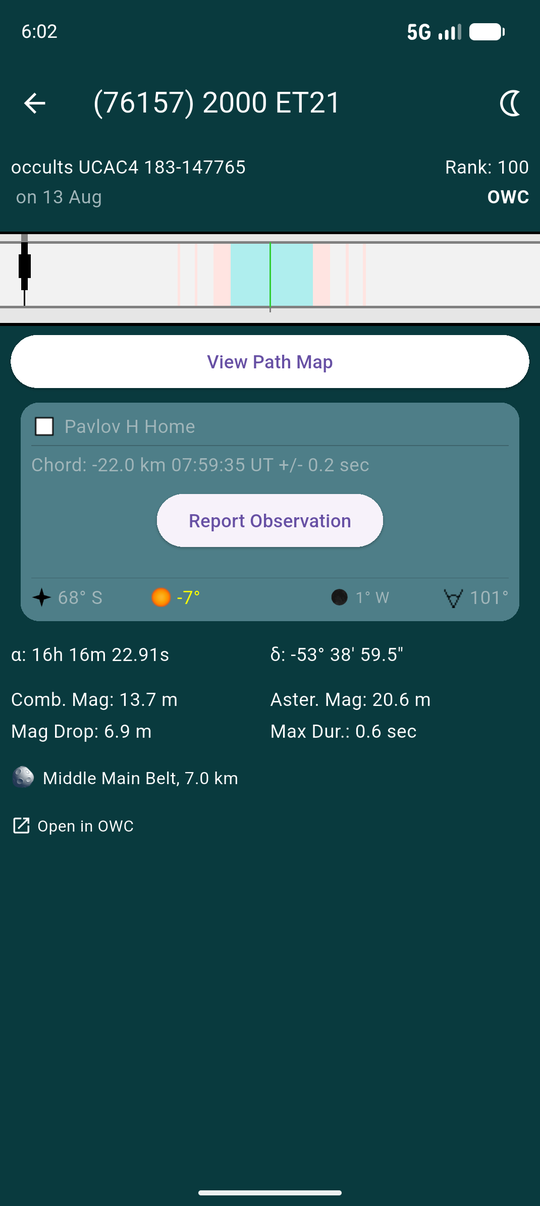
Open the event from My Events and find your own station card. Report Observation appears there once the event has passed and you have not yet reported.
It is on the station card rather than the screen as a whole because you report per station — if you ran two, each gets its own report.
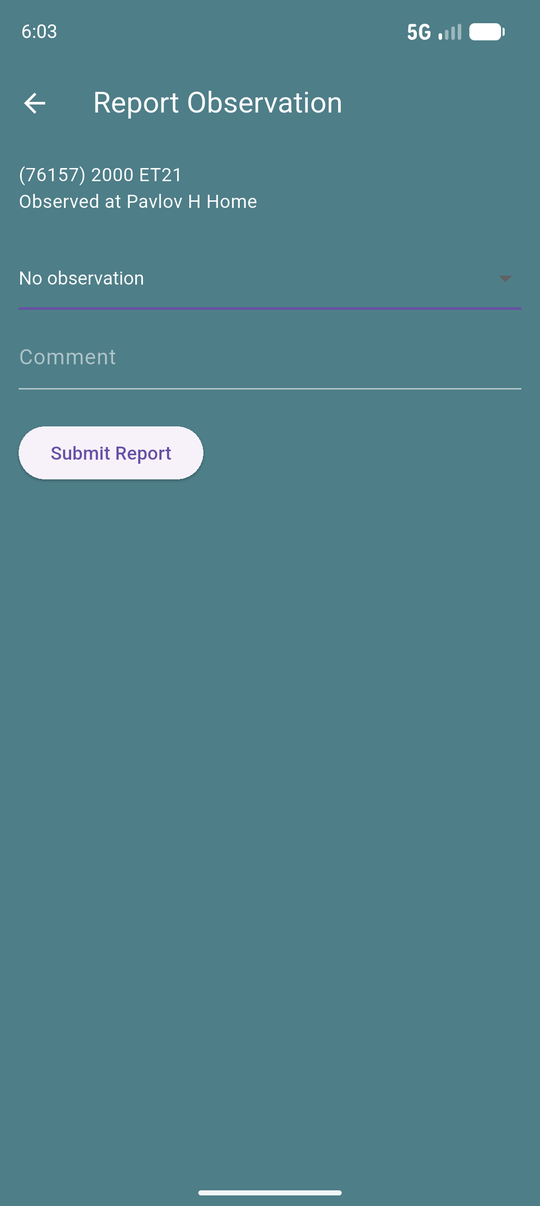
The form
An outcome, an optional comment, and Submit Report.
The comment is free text and goes to OWC with the report — useful for anything the outcome alone cannot carry, such as poor transparency or a timing method.
The outcomes
| Outcome | Use it when |
|---|---|
| Positive detection | You saw the star disappear. Requires a duration. |
| Observed a miss | You watched, conditions were good, and nothing happened. |
| Clouded out | Weather prevented the observation. |
| Technical failure | Equipment or setup stopped you observing. |
| No observation | You did not observe, for any other reason. |
| Observed, report to follow | You have data but have not reduced it yet. |
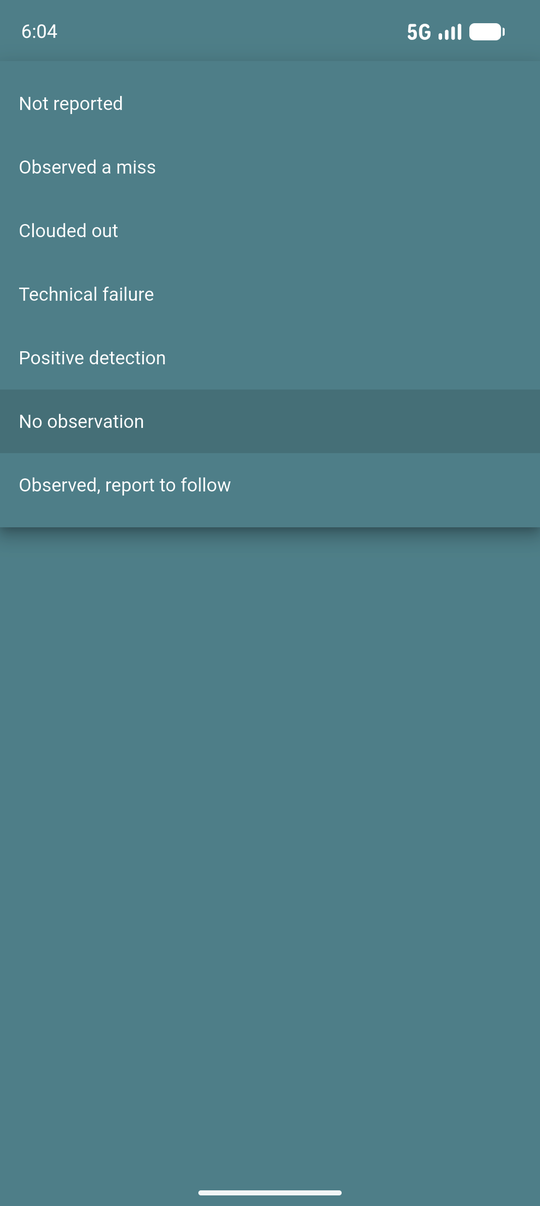
Observed a miss and No observation are not the same thing. A miss is data: you were watching, from a known place, and the star did not disappear. No observation says nothing about the asteroid. Reporting a miss as "no observation" throws away a real result.
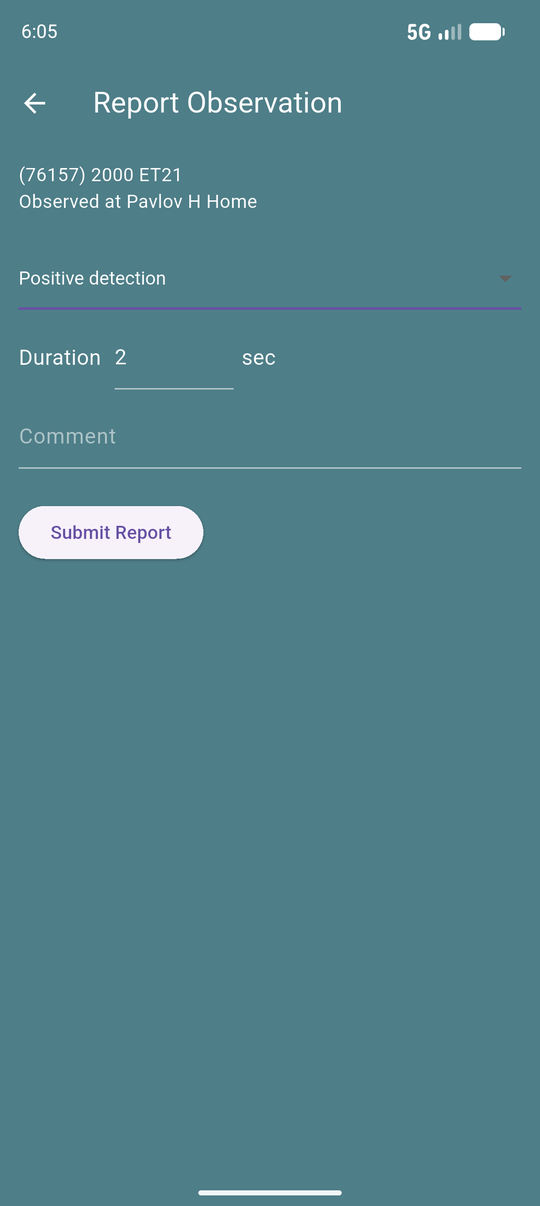
Duration
Choose Positive detection and a duration field appears, in seconds. It is required — a positive without a duration cannot be turned into a chord, which is the whole point of the measurement.
Every other outcome hides the field, because there is nothing to time.
After submitting
The report goes to OWC and the station card updates to show the outcome. Back in My Events, that event's row gains a coloured circle in its report summary.
Reported the wrong thing? Report again — the latest report for a station replaces the previous one. The app has no separate edit step.