Reference
Reminders
A notification before an event you have a station on.
The app can raise a notification before an event you have a station on, so a good prediction does not go unobserved because you lost track of the time.
Reminders are scheduled on your phone, not sent from a server. They fire with no signal and no data — but an event announced on the website only gets a reminder once the app has refreshed My Events and seen it.
Choosing when
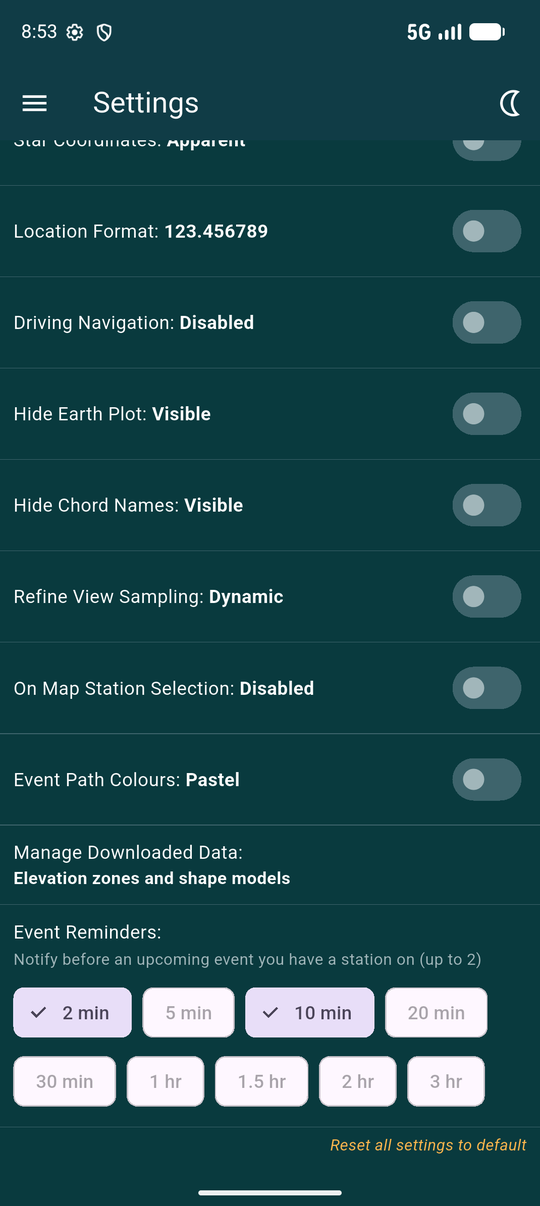
In Settings, under Event Reminders, pick up to two lead times — anything from two minutes to three hours.
Two is deliberate: one to start setting up, one to be at the telescope. Once two are chosen the rest grey out.
Letting notifications through
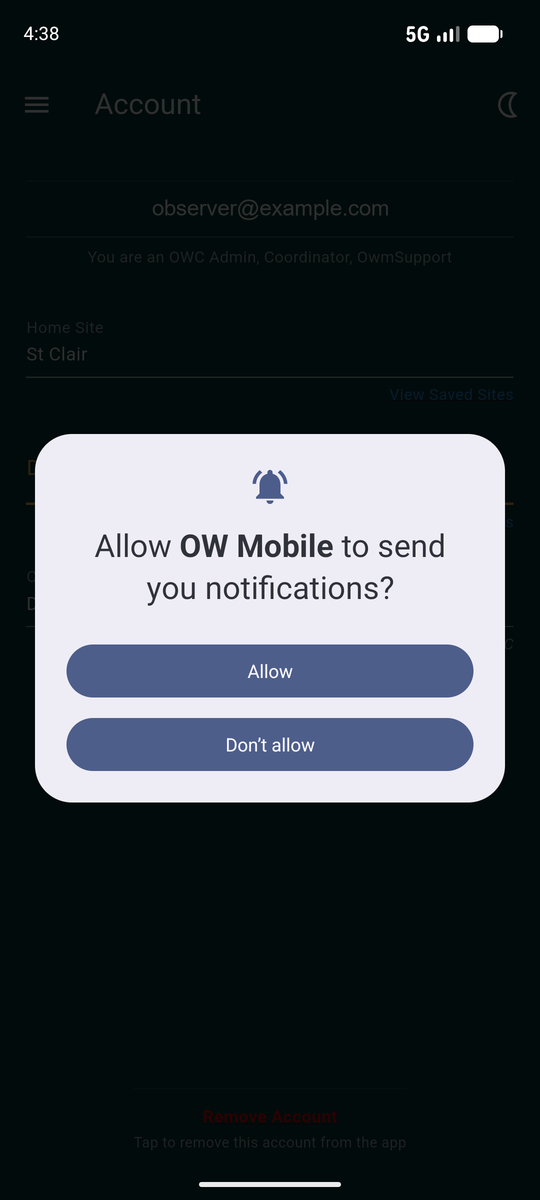
Android asks whether the app may notify you at all. If you decline, reminders are still scheduled but you will never see them.
Changed your mind later? It is in Android's own settings, under the app's notifications — the app cannot re-ask.
Making them arrive on time
Android delays ordinary scheduled work to save battery. For a reminder that means arriving several minutes late, which for a six-second occultation is the same as not arriving. Avoiding that needs a second permission.
Settings shows a note and an Allow Exact-Time Reminders button when this has not been granted. The app explains what is about to happen before handing you over, because the page Android opens gives no context of its own.
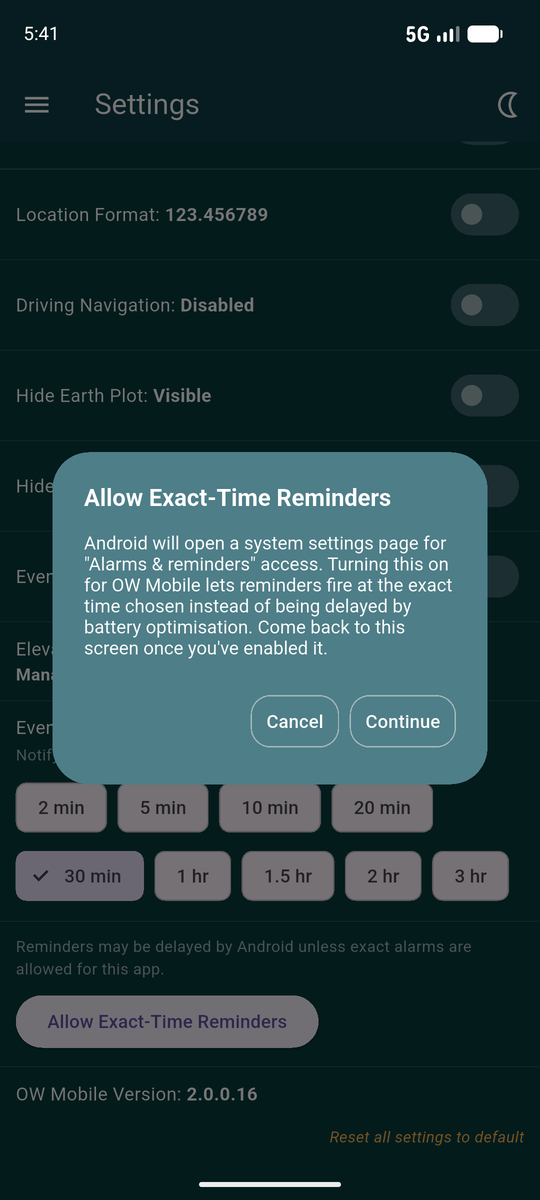
- Tap Continue. Android opens its Alarms & reminders page for OW Mobile.
- Turn on Allow setting alarms and reminders.
- Go back to the app. The note and the button disappear, which is how you know it worked.

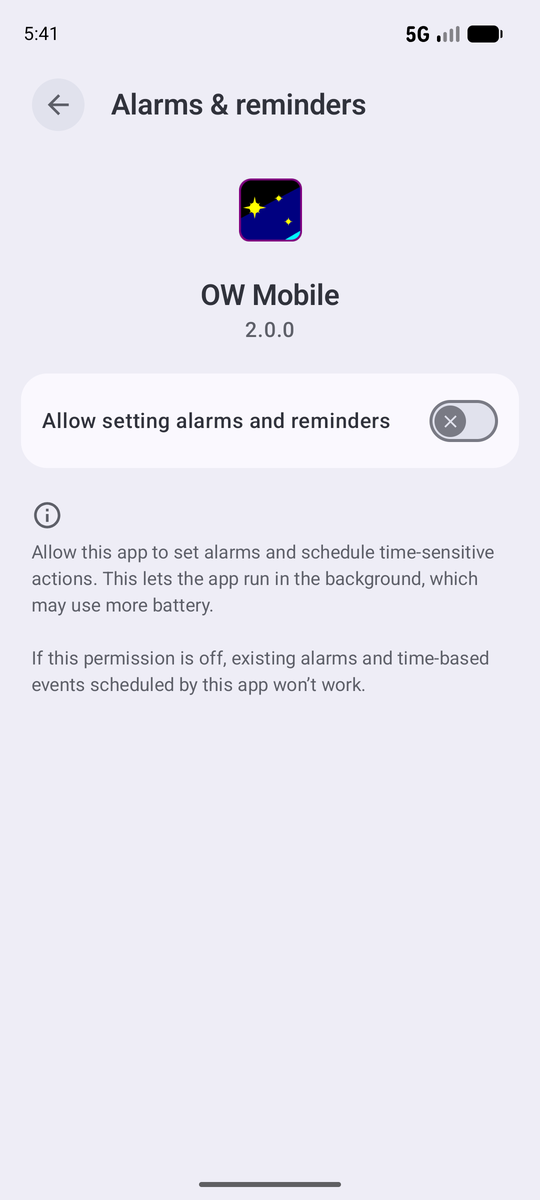
This is an Android screen, not part of OW Mobile, which is why it looks different from everything else in this guide.
Granting it lets the app schedule to the minute rather than "sometime around then". It does not let the app do anything else.
What a reminder looks like
The notification names the asteroid, how long until the event starts, and the star being occulted. Tapping it opens that event's Event Detail directly.
If you miss it, it stays in the notification shade until you dismiss it.
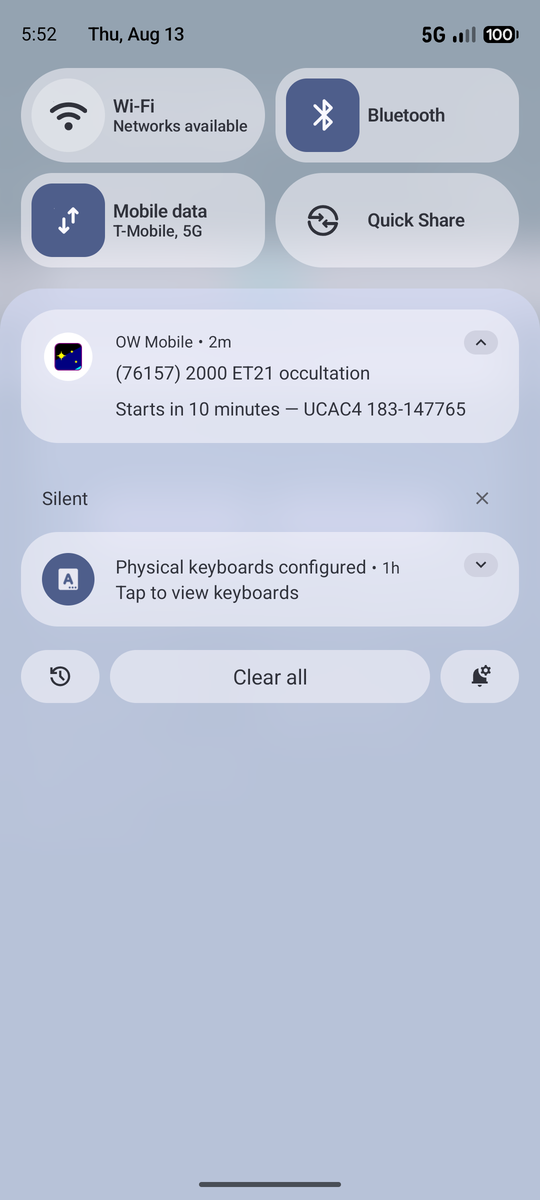
Reminders follow your stations. Cancel a station and its reminders go with it; announce a new one and reminders are scheduled as soon as the app knows about it.