Reference
About OW Mobile
The app version, the update check, and what it's built on.
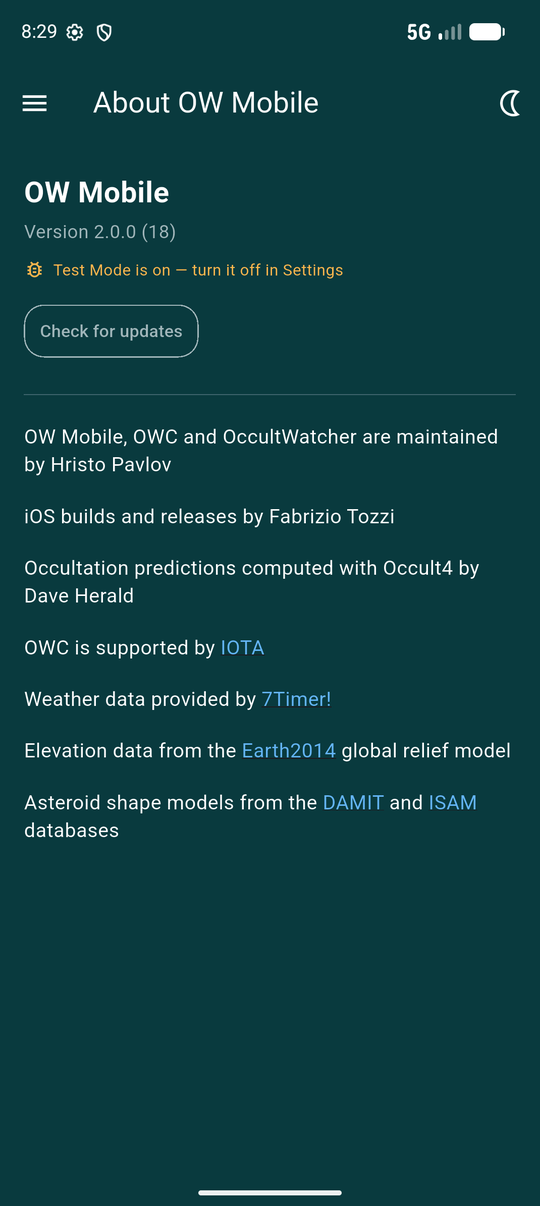
About OW Mobile is the fourth item in the drawer, alongside My Events, Settings and Account. It carries the things that do not belong to any one screen: the version you are running, whether a newer one is out, and who and what the app depends on.
Version and updates
The version number at the top is checked against the store listing automatically, roughly every six hours. If a newer release is out, an Update now button appears here and opens the store page — and the drawer badges this item too, so you notice it without opening About first.
Check for updates forces an immediate check, ignoring that six-hour throttle.
The update check reads a file that is updated by hand alongside each release, so it can occasionally lag — a very recent release might not show as available immediately.
Unlocking Test Mode
Tapping the version number itself, nine times, unlocks Test Mode. It is deliberately obscure — no visible control hints at it — since it exists for diagnosing a problem with someone's help, not for everyday use.
The switch to turn it off again, and the button it adds to submit a log, both live on Settings, not here — this gesture only turns it on.

Submitting an error report after a real crash does not need Test Mode at all — that button appears on Settings by itself whenever the app has one to send.
Credits
OW Mobile builds on data and services it does not itself own. Everything below is linked to where it comes from:
- Occultation predictions are computed with Occult4, by Dave Herald.
- Weather forecasts come from 7Timer!.
- Elevation data, used for the path map's terrain correction, is the Earth2014 global relief model.
- Asteroid shape models, where one is drawn on the path map, come from the DAMIT and ISAM databases.
iOS builds and releases are handled separately; that credit sits near the top of the list, right after the app's maintainer.