Reference
Icons and badges
The small symbols that repeat across the lists and the detail screens.
The same handful of symbols recur across My Events, Search Events and Event Detail. They are gathered here once rather than explained on every page. These are the app's own icons, shown larger than they appear on the phone.
Station position
The coloured square at the left of a row, and the colour of a station's mark on the shadow plot. It answers one question: how likely is this station to see anything?
| Position | Meaning | |
|---|---|---|
 |
In the shadow | Inside the predicted path. The best case. |
 |
Within one sigma | Just outside the path, but well within the prediction's uncertainty. A real chance. |
 |
Within three sigma | Further out. Possible only if the prediction shifts substantially. |
 |
Outside | Beyond the uncertainty zone altogether. |
A station outside the zone is not wasted. A confident miss from a known position is genuine data — see Reporting an observation.
Collaborator indicator line
A short line appears over the square on My Events and Search Events whenever a fellow observer would do noticeably better than you at that event — coloured for wherever they stand, not you:
| Your square | Meaning | |
|---|---|---|
 |
Not in the shadow or one sigma | A turquoise line: a fellow observer is inside the shadow itself. |
 |
Not in the shadow or one sigma | A coral line: nobody of yours reaches the shadow, but a fellow observer is within one sigma. |
 |
Within one sigma | A turquoise line even here: you are already in a real chance, but a fellow observer is inside the shadow itself. |
No line at all means either nobody is better placed than you, or you are already in the shadow — nothing beats that.
This uses each collaborator's own saved location, not whatever station they may have actually submitted for this particular event — the app has no way to know that yet. Treat the line as "a collaborator lives somewhere better," not as confirmation they are observing from there. The same fixed-location marks appear on Search Events' own shadow plot.
Star colour
The star beside a magnitude is tinted by the target star's colour class, from blue through to red. Black means the colour is not known.


Cloud cover
Always shown on the weather badge, with the forecast percentage beside it. The cloud fills with white as cover increases — a dark, small cloud is a clear sky.
| Roughly | Meaning | |
|---|---|---|
 | 0% | Clear. |
 | 40% | Partly cloudy. |
 | 90% | Overcast. |
High / Mid / Low display mode
The flat cloud icon above is the default, and always shows the single combined figure 7Timer! reports. Settings' Cloud Cover Info setting has a second option, High/Mid/Low, which tints the same cloud shape with a blend instead of one flat colour: the colour a flat icon would use for the high-altitude figure at the top, the low-altitude figure at the bottom, and the mid-altitude figure in between, blending smoothly from one to the next. The number beside the icon is unchanged either way — it is always the combined total, not any one layer.
The point is a sky that reads "100% cloud" on the flat total can mean two very different things: a high veil of cirrus, which is often still fine for observing, or a solid low overcast, which is not. Splitting the figure by altitude shows which one it is at a glance.
| Reading | Meaning | |
|---|---|---|
 |
High only | Total cloud 100%, but high cloud alone accounts for it — mid and low both clear. Cirrus, most likely — worth checking the sky yourself before writing the night off. |
 |
Low only | Low cloud 70%, high and mid both clear. The opposite case — a low cloud sitting under a clear upper sky could still provide sucker holes for lucky observations. |
The layered icon only appears where all three figures actually exist. Search Events always has them (its forecast comes straight from your Home Site's own 7Timer! data). My Events has them whenever your submitted station sits close to your Home Site — the same reasoning as the plain fallback cover described above, just extended to all three layers. Event Detail never has them: a station's own weather, once the server has computed it, only ever carries the one combined figure. Anywhere the layers are not all available, the flat total icon is shown instead, even with High/Mid/Low selected.
Temperature
Shown only when it is worth flagging, unless you set it to always show. The thermometer is colour-coded by band.
| Band | Meaning | |
|---|---|---|
 | Below −4°C | Freezing. Dew, frost and battery life all become issues. |
 | −4 to 20°C | Cool to mild. |
 | 20 to 25°C | Warm. |
 | Above 25°C | Hot. |
Wind
More bars mean more wind. By default it appears only from moderate upwards, on the grounds that anything less will not shake a telescope.


 gale and above
Reported outcomes
These circles appear on past station cards, and in the summary that replaces the weather badge on past My Events rows, where a number beside each says how many stations reported it.
| Outcome | Meaning | |
|---|---|---|
 | Positive | The star was seen to disappear. |
 | Miss | Watched, and nothing happened. |
 | No result | Clouded out, technical failure, or no observation. |
 | Not reported | The station has not reported yet. |
 | Report to follow | Observed, but the data has not been reduced yet. An outline rather than a filled circle. |
Sun, moon and the observing conditions
| Symbol | Meaning | |
|---|---|---|
 |
Sun altitude | Shown with a negative altitude when the sun is still near the horizon at event time — twilight rather than dark sky. |
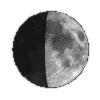 |
Moon phase | The moon's phase, with its altitude and angular distance from the target star. A bright moon close to a faint star is a real problem. |
 |
Maximum duration | The longest the event can last, at the centre line. |
 |
Magnitude drop | How far the combined brightness falls. A bigger drop is easier to see. |
 |
Station marker | A station's actual position on the path map. |
Asteroid class
 marks the object's dynamical class
Which family of orbits the asteroid belongs to — not what it is made of.
| Code | Family |
|---|---|
| MB | Main belt — the great majority. |
| Hil | Hilda group, in 3:2 resonance with Jupiter. |
| Tro | Jupiter Trojan. |
| NEA | Near-Earth asteroid, with its subgroup. |
| TNO | Trans-Neptunian object. |
Event Detail spells the class out in full, alongside the asteroid's diameter. Search Events abbreviates it to fit the row.
The classification comes from data bundled with the app, so it works offline — but it also means it only updates when the app does. Unnumbered asteroids and comets have no classification and simply show nothing.
Shape model availability
 a real 3D shape is published for this asteroid
Shown on a My Events or Search Events row when DAMIT or ISAM has a shape model for the asteroid — see the path map for what that unlocks once you open the event. It is the same fixed icon for every asteroid it appears on; it does not depict that particular asteroid's own shape. Its absence is the common case and means nothing is missing — most asteroids with occultation events have no published shape model.