Getting started
Choosing a default filter
The filter decides which events Search Events looks for.
A filter is a saved set of criteria describing which occultations interest you — how far you are willing to travel, how bright the star has to be, how long the event lasts. Search Events runs your chosen filter against a night's predictions.
Picking one
On the Account screen, tap Default Filter. The list is whatever you have set up on the OWC website — the app does not create filters, it only chooses between them.
The field is highlighted in amber while nothing is selected, because Search Events cannot do anything until one is.
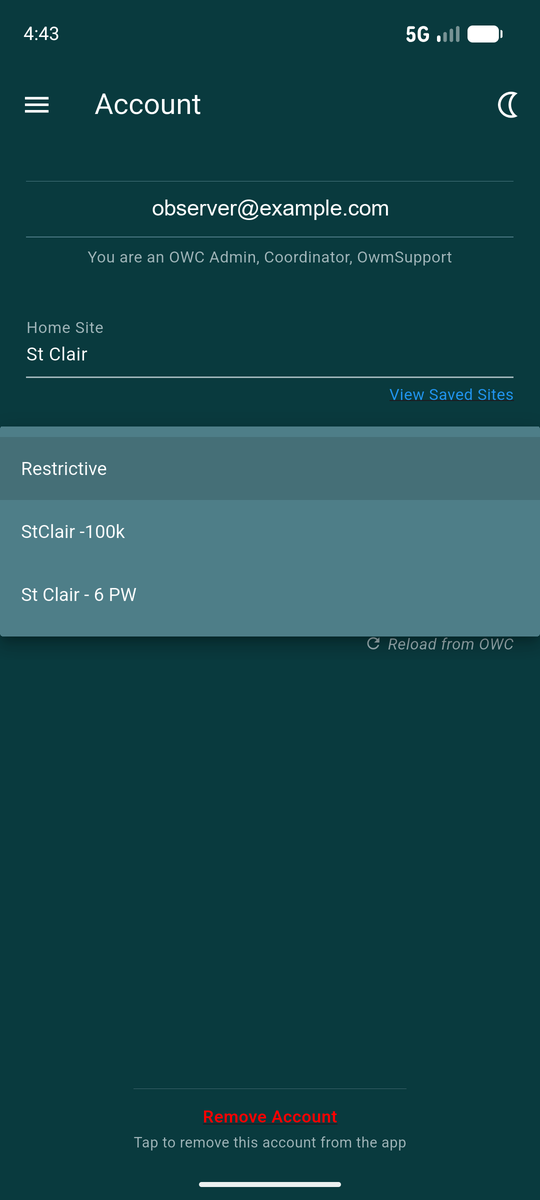
The first time you choose a filter the app takes you straight to Search Events and runs it. Changing it later just saves the choice and leaves you where you are.
Creating and editing filters
Filters are built on the OWC website, where there is room for the full set of criteria. Edit Filters on the Account screen opens that page in your browser.
When you come back, pull down on the Account screen to re-read the list — a filter created a moment ago will not appear until the app asks OWC again.
Changing which filter you use
You can switch at any time, either on the Account screen or from the Filter dropdown at the top of Search Events. The two are the same setting, so changing it in one place changes it in the other.
Your filter also decides which fellow observers appear on an event's plot. A collaborator is marked when their site falls inside the same distance limit your filter used to select the event.